Face Registration: Plan a Practical Event Check-In Workflow - Avidbeam
Face registration is biometric enrollment: collecting facial information to create a reference for later comparison. For event organizers, the challenge is fitting that step into ticketing, attendee communications, and arrival-day operations without leaving staff or participants unsure what happens next.
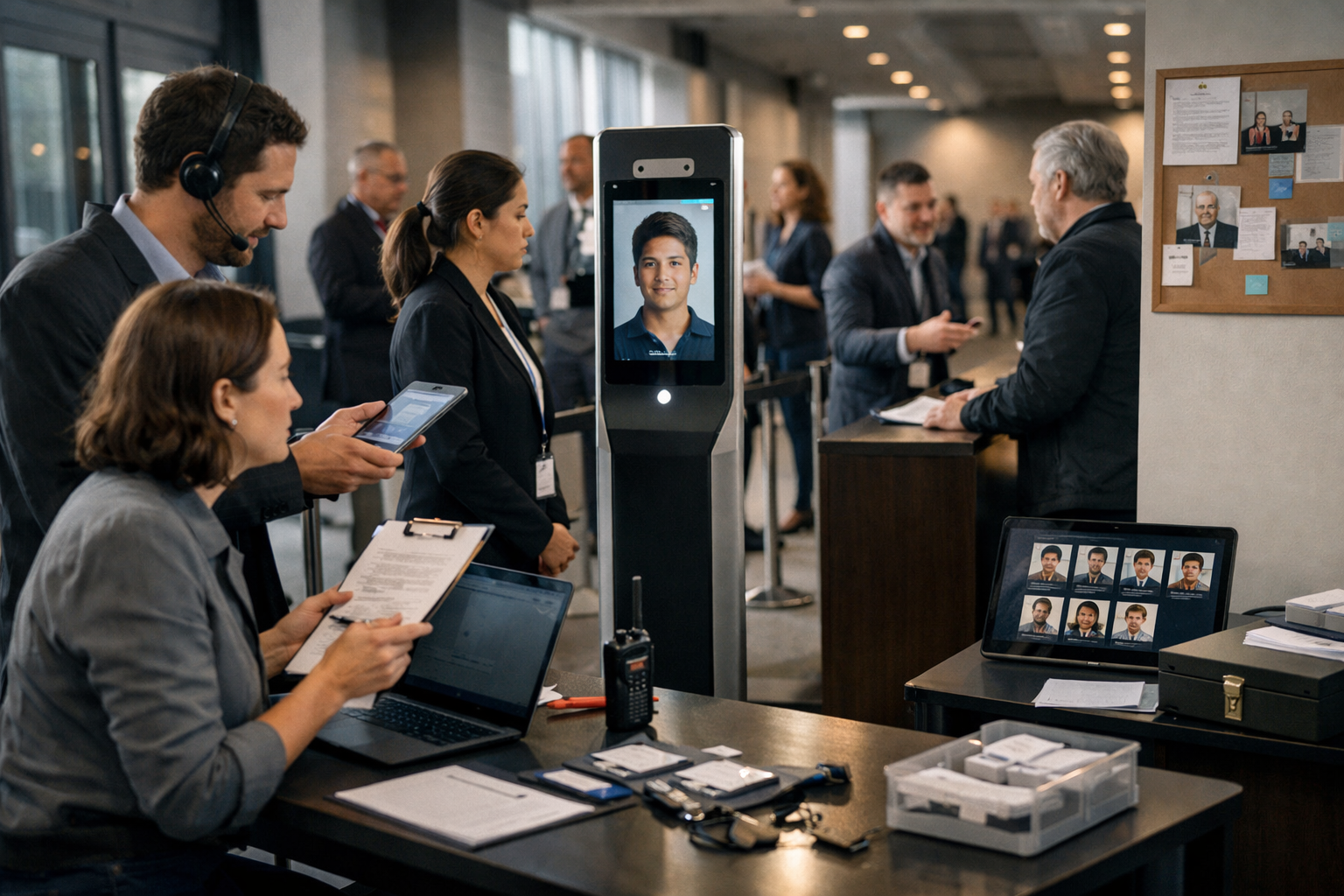
Face registration is biometric enrollment: collecting facial information to create a reference for later comparison. For event organizers, the challenge is fitting that step into ticketing, attendee communications, and arrival-day operations without leaving staff or participants unsure what happens next.
Planning face registration starts with separating a booking, biometric enrollment, identity review, and admission. This guide maps those handoffs, compares preparation options, and explains exception handling and record closeout. The goal is a clear journey for prepared arrivals, people needing help, and those choosing another check-in route.
Where does face registration fit in the attendee journey?
Place enrollment before identity review, whether it happens ahead of the event or at the venue. Keep these responsibilities separate:
• Ticket or attendee registration: Establish the booking and the access category that staff must verify.
• Biometric enrollment: Create a facial reference linked to the correct attendee record, after explaining its purpose and the alternative route.
• Identity review: Assess whether the arriving person corresponds to the expected attendee, with a defined process for uncertain results.
• Admission decision: Apply the event’s entry rules through authorized staff or an approved access process. Recognition alone does not establish permission to enter.
For example, a valid ticket holder may arrive without completing enrollment. Assign an owner who can direct that person to assistance or approved non-biometric check-in.
Should attendees enroll before arrival or at the venue?
Compare advance enrollment, on-site self-service, and staff-assisted enrollment against your attendees’ needs and venue resources. These are planning options to validate, not confirmed AvidBeam product modes.
| Option | Participant preparation | Staffing considerations | Exception handling | Questions to validate |
|---|---|---|---|---|
| Advance enrollment | Follow instructions before arrival | Pre-event support and submission review | Follow up on incomplete submissions | How will attendees confirm completion? |
| On-site self-service | Bring required details and use a designated station | Nearby assistance and station support | Route incomplete submissions or unavailable stations to help | Can participants use the station and reach assistance? |
| Staff-assisted enrollment | Bring required details and follow guided steps | Dedicated staff and a suitable capture area | Check existing records before starting again | Who can assist, correct details, and escalate problems? |
Favor advance preparation when attendees can receive and act on instructions beforehand. Consider self-service when the venue can support suitable stations and accessible help; use staff assistance for people who need guidance.
Distinguish incomplete submissions from completed records. Decide how unresolved cases reach the arrival team, and define a route for people who arrive without enrolling.
What should the face registration journey ask attendees to do?
Guide participants through explanation, capture, and confirmation, with help available at each stage.
Invitation and explanation
Explain why the event requests facial information, what information is needed, how it will be used, and the planned retention period. Provide a support contact and describe participation choices clearly.
Define an approved non-biometric route before sending invitations. Review the proposed notices and participation process against applicable privacy and biometric requirements.
Capture and review
Provide framing and lighting instructions for the chosen process, explain how to correct an unsuitable submission, and identify where to get help. Request only the details needed to connect it to the attendee’s booking.
Enrollment creates a reference; later recognition compares facial information against a reference. See the underlying face recognition process for more context. Let participants review their details before confirming completion.
Confirmation with next steps
Distinguish a received submission from one that has completed the required review. Explain any remaining action, where to go on arrival, and what ticket or documentation to bring.
Include instructions for changing details, getting assistance, or choosing the alternative route.
If helpful, review the proposed invitation, capture instructions, and confirmation steps with AvidBeam before finalizing the journey.
How should staff handle arrival-day exceptions?
Give staff a written playbook that identifies the next action and escalation owner. A recognition result should inform review, not replace ticket checks or admission rules.
• Missing records: Search using an approved ticket reference or other permitted details. Check for incomplete submissions or booking mismatches before creating another record. Send unresolved cases to the support desk.
• Changed attendee details: Verify corrections against booking and identity requirements. Have authorized staff update the record and document the change rather than altering details to force a match.
• Uncertain matches: Pause the biometric route and use the approved identity-review process. Avoid repeated capture attempts without a clear reason, and discuss personal information away from the queue.
• Declined participation: Direct the attendee to non-biometric check-in without requiring enrollment first. Apply the event’s ticket and identity requirements through that route.
• Temporary system unavailability: Activate the documented fallback. Use authorized records and verification methods, record decisions for reconciliation, and hold unresolved cases for review rather than waiving checks.
Assign a supervisor for disputed eligibility and a technical contact for service problems, with backups. Document these security workflow responsibilities, including who can approve entry.
Limit exception notes to the issue, reviewer, action, and outstanding follow-up. Restrict access to authorized personnel.
Which attendee scenarios should you rehearse?
Rehearse these arrival scenarios before the event, using the proposed staffing plan and instructions.
| Attendee scenario | Starting condition | Staff owner | Next action | Completion check |
|---|---|---|---|---|
| Preregistered attendee | Booking and enrollment complete | Check-in agent | Locate the correct record and apply entry checks | Required checks and entry decision recorded |
| Walk-in | No advance booking | Registration lead | Confirm eligibility, then explain available check-in routes | Booking resolved and route assigned |
| Attendee needing assistance | Unable to complete a step independently | Support agent | Explain choices and assist with the selected route | Required steps completed; attendee knows where to go |
| Attendee choosing the alternative | Declines facial enrollment | Check-in agent | Follow approved non-biometric checks | Admission requirements verified without facial collection |
Test whether attendees can reach help, understand instructions, and request accessible support without repeated referrals. Include an incomplete submission in the rehearsal so staff practice resolving its status.
For group arrivals, practice directing each person to the appropriate route while keeping companions informed. Protect personal details from being discussed within earshot of the group or queue.
What should happen to enrollment records after the event?
Tie retention to the event’s specific purpose and applicable requirements. Assign closeout responsibilities before collection begins, rather than leaving them to whichever team last handled check-in.
• Retention decisions: Record why each type of information remains necessary and when it should be deleted. Avoid indefinite retention “just in case.”
• Authorized follow-up: Specify who may access retained records and for what approved purpose. Permission to send event updates does not establish permission for further biometric use.
• Deletion responsibilities: Name an owner to identify stored copies, coordinate deletion, and document completion or unresolved exceptions.
• Unresolved requests: Track correction, deletion, and permission questions with an owner and next action. Keep unnecessary biometric details out of tracking notes.
Do not treat attendance, ticket purchase, or enrollment as authorization to reuse records. Any proposed use for another event needs a separate review of purpose, permissions, and applicable requirements.
Frequently asked questions
Is enrollment the same as buying a ticket?
No. Buying a ticket establishes a booking; biometric enrollment creates a reference for later comparison. Keep the two statuses separate.
Can attendees enroll on arrival?
Yes, if the event has planned and validated an on-site route. Confirm staffing, instructions, assistance, and exception handling before offering it.
What if someone declines?
Direct them to the defined non-biometric route. Explain its required checks before arrival so they know what to expect.
What happens when a record cannot be found?
Follow the missing-record procedure, verify the booking through an approved method, and escalate unresolved cases to the designated owner.
Who decides whether someone enters?
Authorized staff or an approved access process applies the event’s admission rules. A recognition result alone is not admission authorization.
Can records be reused for another event?
Not automatically. Review the new purpose, original permissions, and applicable requirements before authorizing reuse.
Ready to review your event workflow?
Discuss your proposed attendee journey with AvidBeam. Bring your enrollment options, exception owners, alternative check-in process, and record-handling questions to clarify what needs validation before launch.
 Article
AvidBeam and NVIDIA: An Inception Partnership Built on Full GPU Compatibility and Regional Leadership
The NVIDIA Inception program is a global initiative that supports and recognizes AI companies building products and services on NVIDIA technology.
 Article
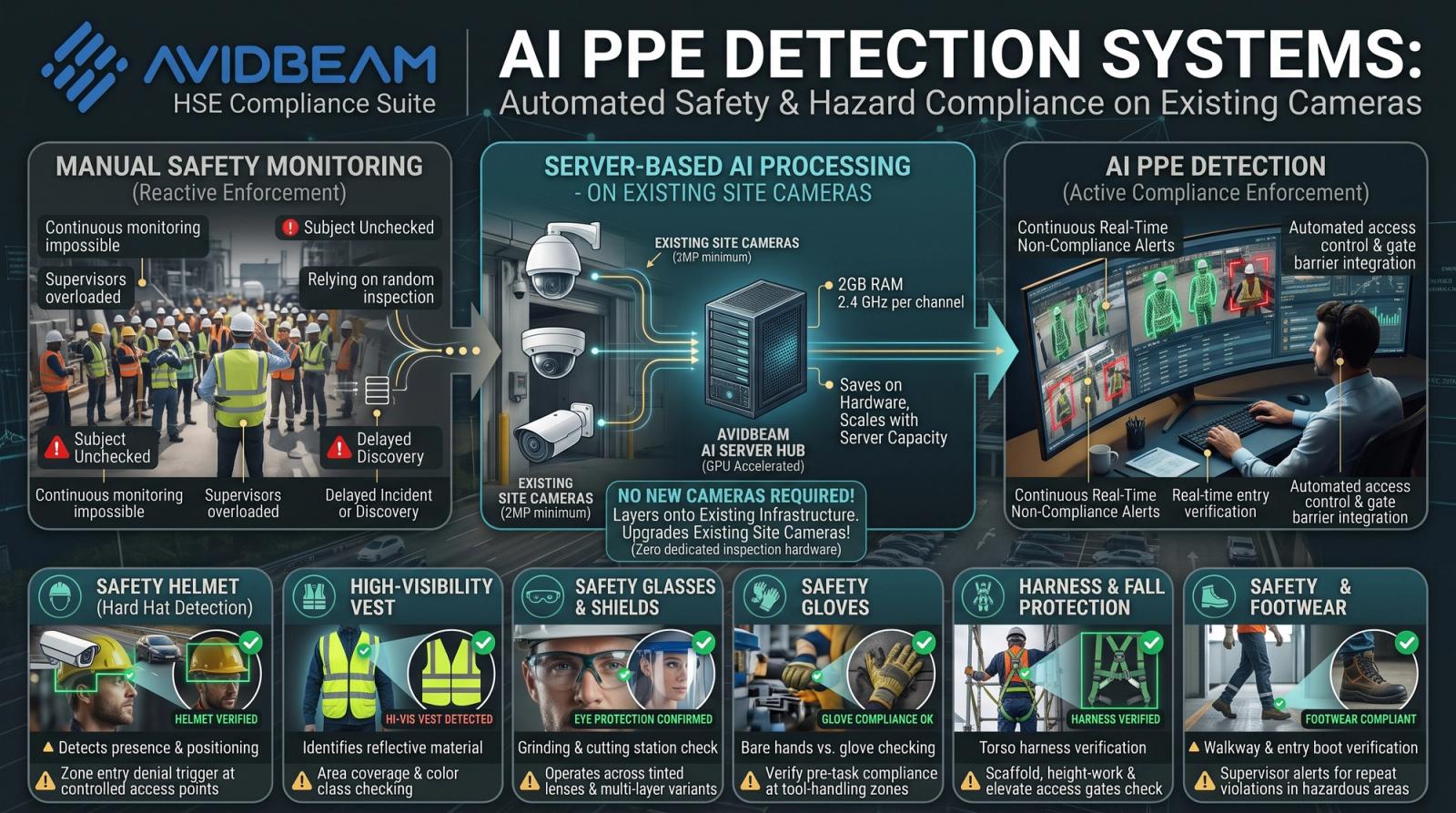
How AI PPE Detection Verifies Every Worker Before Zone Entry Without Manual Checks
PPE detection (Personal Protective Equipment) is the use of artificial intelligence (AI)-powered computer vision to automatically verify that workers are wearing the required personal protective equipment (PPE) before entering.
 Article
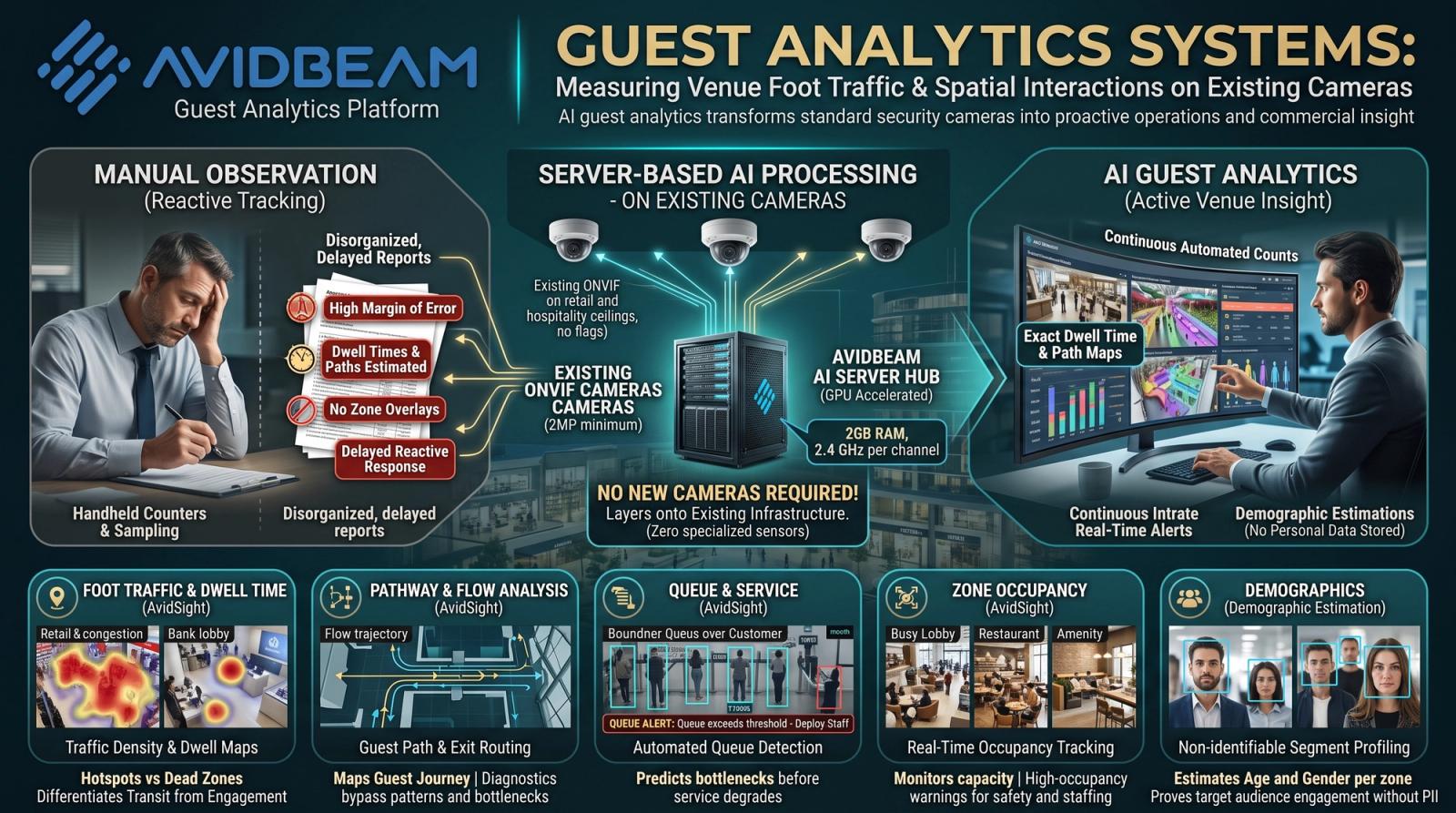
Guest Analytics Explained: Foot Traffic, Dwell Time, and Zone Behavior from Existing Cameras
Guest analytics is the practice of using artificial intelligence (AI)-powered video analysis to measure how guests move through and interact with a physical space.
Experience AI Video Analytics
on your existing cameras.
Start with a pilot deployment and scale seamlessly as your operational requirements evolve.